Additional functionality
KACE Cloud offers a wide range of features that you can use to manage for different types of managed devices. This section lists some common configuration options. For complete information about KACE Cloud configuraiton options, see Configuring and applying Library settings.
Manage Option Sets
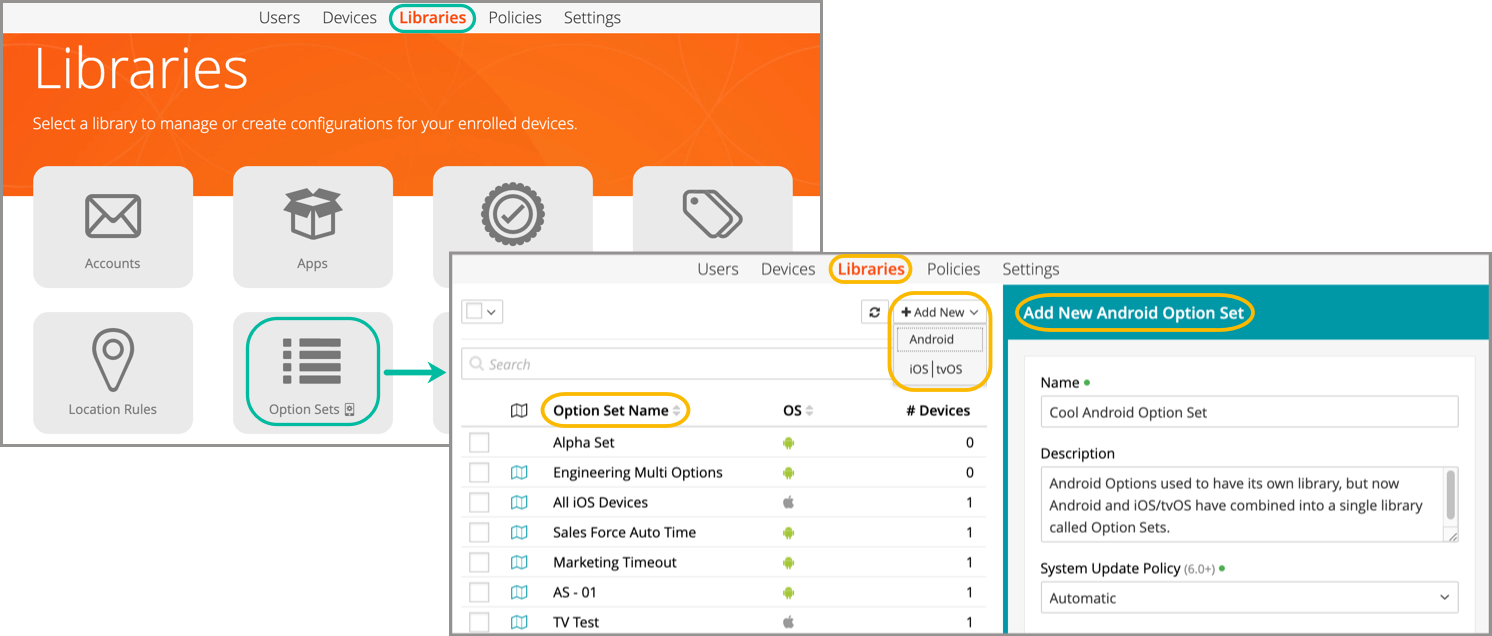
The Option Sets library lets an admin build more granular sets of configurations for use on fully managed Android devices. The new Option Sets library includes both Android and iOS/tvOS devices.
- In the Library, select Option Sets.
- Click Add New.
- Select Android.
- Name the new Option Set and configure settings.
- Click Save.
Manage Restrictions
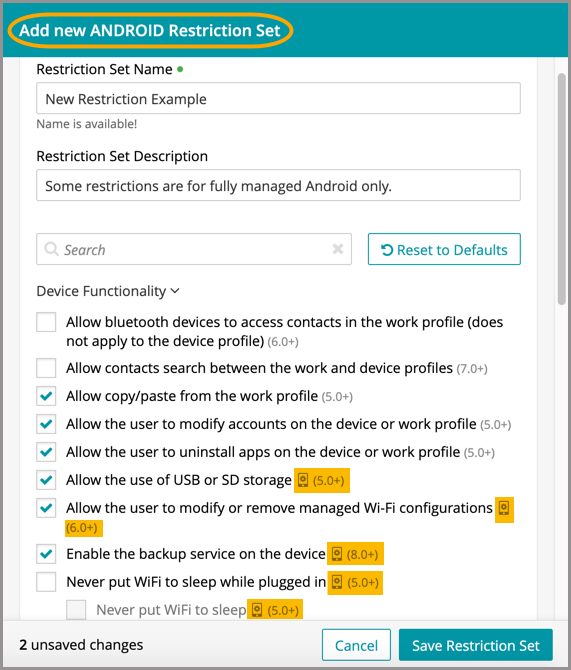
There are some restrictions only available for fully managed Android devices, which are indicated by an icon when adding or editing Restriction sets.
Set Passcode
A new passcode will be set for the selected device and any existing passcode will be replaced. The function is available to both standard and fully managed devices.
- In the Devices section, select a device.
- In the right panel, click the Android dropdown.
- Select Set Passcode.
- Enter new passcode, then click Save.
Install Android Agent app
This function will install the latest version of the KACE Cloud Android Agent to the selected device. The function is available to both standard and fully managed devices.
- In the Devices section, select a device.
- In the right panel, click the Android dropdown.
- Select Install Agent App.
- Click Confirm.
As of August 2020, Android users are restricted to their Managed Google Play account by default. Apps previously installed by users under their personal account will not be removed from the device, but they will no longer be able to use their personal account in the managed version of the Play store. For devices with a work profile, the personal account outside of the work profile will be unaffected.
Reboot device (7.0+)
The reboot command will attempt to restart the selected device. The function is available only for fully managed devices.